Challenges/Problems
- manually completing paper reports by operators on production
- manual transcription of data from production reports into other systems
- Outdated data completed off-line - after a shift or the next day
- low-quality production data records
Solution
- Automatic production report in electronic form.
- Total elimination of paper sheets from production.
- Shift/order summary automatically sent to the management's e-mail.
- Unlimited number of templates for generated reports.
- Ability to automatically account for production in the ERP system.
Personas using the solutions
- Production Manager - receives a summary report for the entire factory.
- Production Area Manager / Leader - receives a report with a summary of the order, shift.
- CIO Manager - receives a report with a summary of the largest losses on the machine.
- Team leaders and operators - receive a report with a summary of line/machine performance and order progress.
Advantages
- "PAPERLESS" - System ready for Industry 4.0 transformation.
- Production report automatically completed in real time.
- web access to reports with up-to-date production data.
- Quick installation and system start-up - 1 day.
- Proven solution - more than 30,000 installations worldwide.
- One-time cost (hardware + firmware + updates).
Eliminate manual reporting
On-line reports in real time
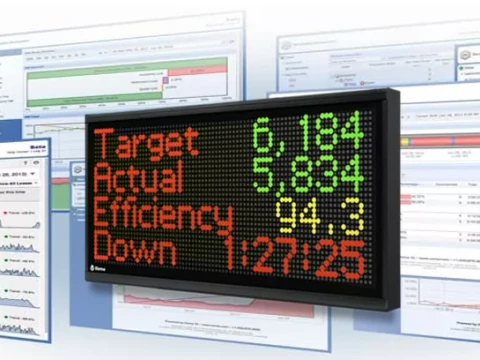
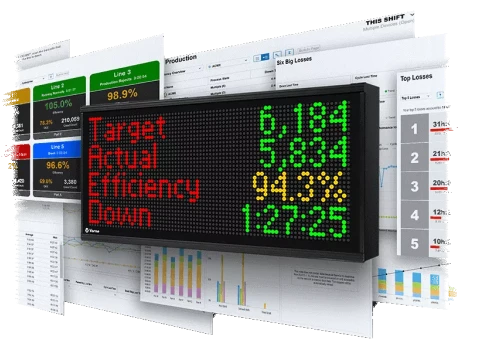
The Vorne XL dashboard keeps track of production in real time and reports with all recorded events on machines are available via a web browser.
The reports are available as metrics, charts, tables and in addition you can export it as a PDF or Excel file or simply print it.

Automatic e-mail reports
In addition to being able to generate reports directly from the Vorne XL 810 dashboard, thanks to the Vorne XL Enterprise cloud platform, we can generate reports automatically according to any template.

Summary of the entire plant
Immediately after the end of each shift, XL Enterprise immediately sends a production report directly given to your email. Within moments of the end of a shift, you can see if your team met the production goal, how many units they produced, OEE rate, labor efficiency, largest production losses and much more.
All plant
| Target | Amount | Efficiency |
| 2,743.5 | 1,105 | 40.3% |
OEE indicators and prodution time
OEE factors
| OEE FACTORS | ||
| OEE | 32.5% | |
| Availability | 60.4% | |
| Efficiency | 53.9% | |
| Quality | 100% | |
Production time
| Production time | |
| Production | 8:00:00 |
| Running | 4:49:44 |
| Downtime | 3:09:12 |
| Planned stop | 0:01:04 |
Production line details
| Centrum | Efficiency | Production amount | Manufactoring defects | Downtime | OEE |
|---|---|---|---|---|---|
| PR-187 | 40.3% | 1 105 | 0 | 03:09:12 | 32.5% |
Automatic e-mail/sms alerts
Automatic downtime notification
XL Enterprise automatically sends email or sms notifications to respond to a major event as soon as possible. Alerts can be sent based on data (e.g., OEE), production states (e.g., downtime events) or targets (e.g., target changeover times). Each email contains a concise subject line, a description of the alert threshold that triggered the email, and a summary of current production KPIs.
ALERT PRESS 800T
Machine: PRESS 800T
Unplanned downtime - 3:38:00h factor Tool malfunction
Product: PART 870.
| Indicator | Value |
| OEE | 11,9% |
| Availability | 21,7% |
| Usage | 54,6% |
| Quality | 100% |
| Performance | 13,8% |
| Planned stop | 5:19:19 |
| Production | 484 |
| Defects | 0 |
Escalation of notifications
If the notification has no effect and there is still unplanned downtime on the machine we can create multiple levels of notifications escalating the problem to production. First a notification to the Production Manager then the Production Director and finally the Plant Director. Here is an example of escalating a line stoppage from the operators all the way to the Plant Director.

Some of the descriptions and graphic materials are from https://www.vorne.com/.